Modern Heritage: A Display Font for Definitive Editorial Design
In the crowded digital landscape, establishing a distinct visual identity is paramount for any content creator, publisher, or independent brand. Your typography isn't just a vehicle for words; it's the tone of voice before a single sentence is read, the personality that invites a reader to stay. For those of us shaping blogs, magazines, ebooks, and newsletters, finding a typeface that bridges the gap between authoritative clarity and approachable charm is a constant pursuit. This is where Modern Heritage excels.
The Character of Modern Heritage
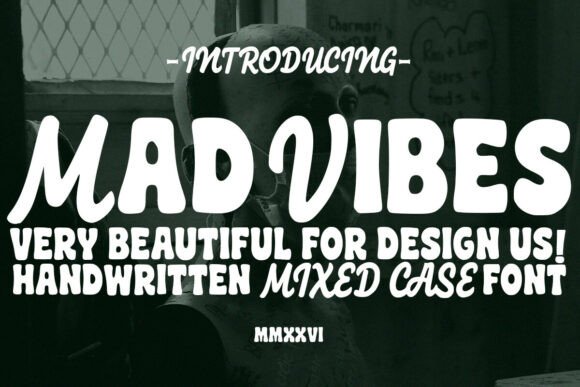
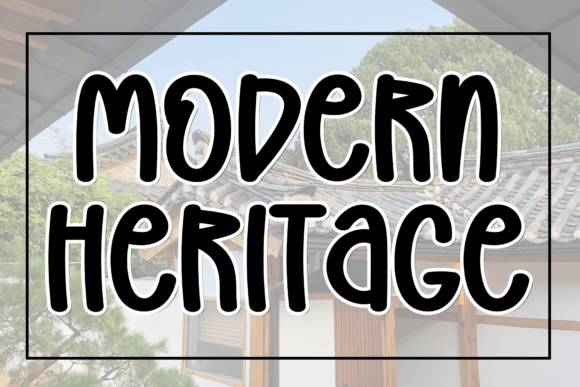
Modern Heritage is a handcrafted display font built with editorial presence in mind. Its foundation is one of structural clarity—bold, chunky letterforms that command attention without shouting. Yet, woven into that solid structure is an artistic, slightly irregular charm. This subtle imperfection is its secret weapon. It avoids the cold sterility of purely geometric fonts, injecting a whisper of craftsmanship and humanity. The result is a typeface with a dual personality: confident and reliable, yet warm and engaging. This makes it exceptionally versatile for publications that want to feel both professional and personable, whether you're guiding readers through a complex guide or welcoming them into a lifestyle blog.
Shaping Your Editorial Hierarchy
Visual hierarchy is the silent editor of your layout, guiding the reader’s eye and emphasizing what matters most. As a display font, Modern Heritage is purpose-built for the top of that hierarchy. Its substantial weight and unique character make it ideal for elements that need to pop off the page or screen.
- Blog Headers & Magazine Covers: A publication’s first impression is everything. Using Modern Heritage for your blog's main title or a magazine’s cover headline instantly establishes a mood of curated, modern substance.
- Ebook Titles & Chapter Openers: In digital books and long-form guides, chapter titles act as visual landmarks. Setting them in Modern Heritage creates a sense of occasion, marking the start of a new section with weight and stylistic flair.
- Pull Quotes & Highlighted Statements: Transform a powerful quote from an interview or a key insight from an article into a shareable graphic. The font’s artistic charm adds gravitas, making the quote feel like an essential, designed element rather than an afterthought.
- Newsletter Headers & Section Breaks: For email newsletters battling inbox clutter, a compelling header graphic using Modern Heritage can significantly boost open rates and brand recognition. It also works beautifully for section dividers within your newsletter layout.
While its strength lies in short-to-medium length displays, Modern Heritage is not intended for extended body copy. Its detailed forms are best appreciated at larger sizes.
Practical Applications Across Media
Let’s translate this into specific projects. Imagine designing a premium recipe ebook. Modern Heritage could define the book’s title on the cover and give each recipe name a distinctive, artisanal feel, perfectly matching the handmade aesthetic of food photography. For a coaching workbook or printable planner, it would empower section titles and worksheet headers, turning functional documents into inspiring, branded tools.
A digital magazine focused on wedding planning could use the font for its logo and feature article headlines, blending tradition (heritage) with contemporary style (modern). For a creator’s paid newsletter, it becomes the signature lockup in the masthead, building a consistent, recognizable identity across every issue. In every case, the font moves beyond mere decoration to become an active participant in storytelling.
Readability and Technical Considerations
When deploying any display font, considering the final medium is crucial. Modern Heritage, with its bold strokes and clear counters, holds up well across various outputs. On screen, ensure sufficient contrast against backgrounds and test at different sizes to maintain legibility on mobile devices. For PDF exports and printed materials like guides, worksheets, or magazine covers, its chunky forms print crisply, even at smaller display sizes. Always check the included font files for any alternate glyphs or ligatures that can add even more unique flair to specific letter combinations.
Crafting Cohesive Font Pairings
A great display font doesn't work alone; it needs a supportive cast for body text and captions. The warmth and structural clarity of Modern Heritage offer excellent pairing opportunities. For a classic, readable editorial feel, pair it with a traditional serif font for your body copy. The contrast between the bold display face and elegant serif text creates a timeless hierarchy. For a more modern, clean aesthetic, a neutral, highly legible sans serif font is an ideal companion, handling body text, captions, and UI elements seamlessly. The key is to let Modern Heritage own the spotlight for headlines and accents, while ensuring your supporting typefaces prioritize effortless reading for longer passages.
A Note on Licensing for Creators
For bloggers, publishers, and digital product creators, understanding font licensing is a practical necessity. When selecting a premium font like Modern Heritage for commercial projects, confirm that your license covers your intended use. This typically includes embedding in ebooks, incorporating into downloadable templates and printables (like planners or worksheets), using it in graphics for paid newsletters or membership sites, and applying it to client publications such as branded magazines or reports. A robust commercial license is an investment in your brand’s professional consistency across all your editorial outputs.
Ultimately, Modern Heritage is more than just another Script Amp typeface in your design toolkit. It’s a strategic asset for anyone building a publication with personality. It provides the structural clarity to be taken seriously and the artistic charm to be remembered. In the hands of a thoughtful editorial designer or content creator, it doesn’t just display text—it defines an experience.